not this Claude...
Claude Elwood Shannon (April 30, 1916 – February 24, 2001) was an American polymath who was a mathematician, electrical engineer, computer scientist, cryptographer, and inventor known as the "father of information theory" and is generally credited with laying the foundations of the Information Age.
but this... adopted name... making it famous, like Tesla, inc. for Nikola Tesla...
Claude is a series of large language models (LLMs) developed by American software company Anthropic. Claude was released as an AI-based chatbot in March 2023. It is also used in AI-assisted software development.
Turn artifacts into Mac and Windows apps | Claude by Anthropic
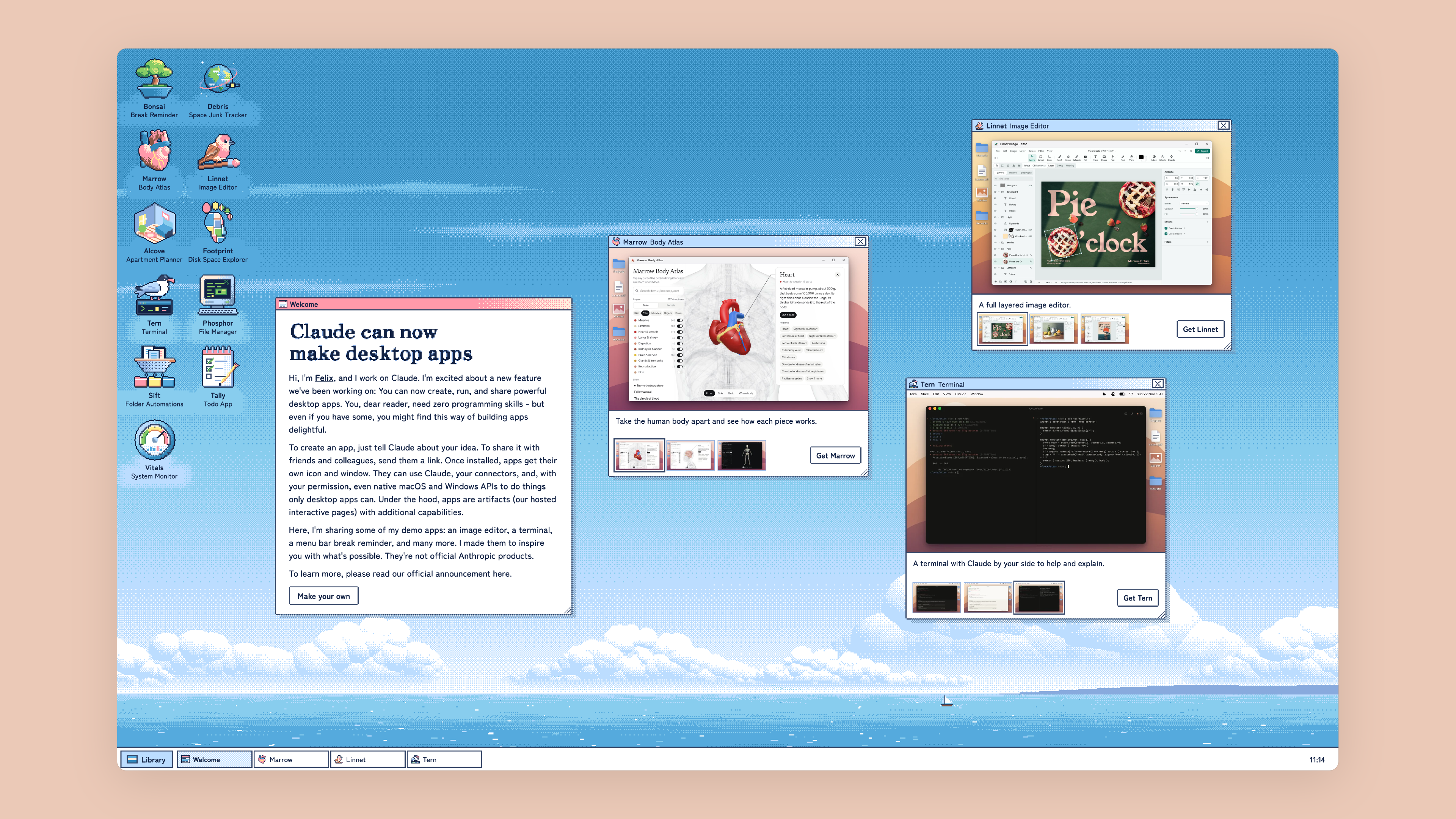
Anthropic's "Install as app" beta feature in
Core Capabilities & Examples
Standalone Windows & Syncing: Installed apps launch in their own windows, support automatic updates when the underlying artifact changes, and use your existing Claude account and
Connectors System & Menu Bar Tools: Apps can send notifications, sit in the menu bar or system tray, or run alongside local workflows. Examples shared by Anthropic include
Linnet Phosphor Sift Tern Vitals Startup Impact: Simple, narrow utilities (timers, file organizers, menu bar helpers) face the highest disruption, whereas multi-user platforms handling core business data, team coordination, finances, and customer records remain harder to replace.
Permissions, Limits & Key Takeaways
Three Permission Tiers: Default (browser-level sandboxing), App permissions (controlled features like notifications, always-on-top windows, or global shortcuts), and Full computer access (running programs and reading, modifying, or deleting files without per-action prompts).
Safety & Re-approval: Anthropic does not review or vet apps before installation. Permissions apply only to the current version—Claude prompts again after updates, and full access is limited to apps you build or (on Team/Enterprise) apps built within your organization.
Plan & Account Constraints: Requires an active internet connection and being signed in to Claude; not supported on HIPAA-ready or hybrid deployments, and excludes Claude Docs, Slides, and Sheets. For client work, building inside the client's Claude account ensures proper permissions on their machine.
Shift in Value: Opportunities center on building personal workflow tools, offering bespoke client apps, and focusing on clear problem specification and domain expertise rather than writing boilerplate code alone.
Anthropic Just Killed 1,000 Startups - EVERYTHING You Need to Know - YouTube
Core Announcement
Native Desktop Apps: These can be installed on macOS or Windows rather than running as temporary web pages.
System Integration: Apps can trigger native notifications and interact with connected services like email, calendar, and drive.
The Shift: "Off the Rack" vs. Tailored Software
| Startup Category | Impact Level | Description |
| High Risk | High (1:34–1:43) | Single-task tools like file organizers, timers, and basic menu bar utilities. |
| Low Risk | Low (1:44–1:48) | Complex enterprise platforms managing critical team coordination, finances, or customer data. |
Technical Constraints & Security Risks
System Dependencies: Apps require an active internet connection and must have Claude running to function (
3:24 3:34 Security & Vetting: Anthropic does not vet generated desktop applications; exercise caution before granting third-party custom apps full system access (
3:41 3:51 Client Permissions: Custom apps inherit permissions from the host account. When building solutions for clients, create the app within the client's Claude account to avoid permission errors on deployment (
4:56 5:24
Actionable Opportunities
Personal Productivity: Create lightweight, hyper-specific tools to clear daily workflow bottlenecks (
4:00 4:15 Bespoke Consulting: Offer custom application design as a service by targeting niche business operational problems (
4:40 4:55 Prompt Architecture: The primary skill advantage shifts from manual syntax coding to translating domain expertise into precise specification prompts (
5:26 5:45

No comments:
Post a Comment