fast and efficient, "freemium"
xlsx - npmThe SheetJS Community Edition offers battle-tested open-source solutions for extracting useful data from almost any complex spreadsheet and generating new spreadsheets that will work with legacy and modern software alike. (Apache license)
SheetJS Pro offers solutions beyond data processing: Edit complex templates with ease; let out your inner Picasso with styling; make custom sheets with images/graphs/PivotTables; evaluate formula expressions and port calculations to web apps; automate common spreadsheet tasks, and much more!
docs; not completely free
SheetJS - Home
fork of free, with added styles; best of both worlds
xlsx-js-style - npm
SheetJS with Style! Create Excel spreadsheets with basic styling options using JavaScript.
xlsx-js-style - npm
SheetJS with Style! Create Excel spreadsheets with basic styling options using JavaScript.
big, feature-rich, free
exceljs - npm
small, functional, get slower for large files
Text overlays
If you require features like actual floating text boxes or drawing objects, you would need to explore other libraries such as ExcelJS or consider the commercial version of SheetJS which offers additional features including comments/notes which float over cells.
The
xlsx-js-style library primarily focuses on cell-based styling within an Excel worksheet. It does not have built-in functionality to add free-floating text boxes or drawing objects that exist outside of the cell grid, as this is a more advanced feature typically found in commercial or more extensive libraries like the pro version of SheetJS or ExcelJS. While direct overlay text isn't a feature, you can achieve a similar visual effect using cell-based methods:
- Merge Cells: You can merge a range of cells to create a large "canvas" and place your text within that merged cell. You then use alignment and font styling to position the text as desired.
- Utilize a Specific Cell: You can add text to a cell at a specific location on the worksheet, for example, using
XLSX.utils.sheet_add_aoa(ws, [["Your overlay text"]], { origin: "A1" }). - Adjust Column Width and Row Height: You can change the dimensions of cells to create space around your "overlay" text, giving the impression it's floating.
Charts
If you need to generate Excel files that contain charts, consider the following alternative approaches and libraries:
xlsx-chart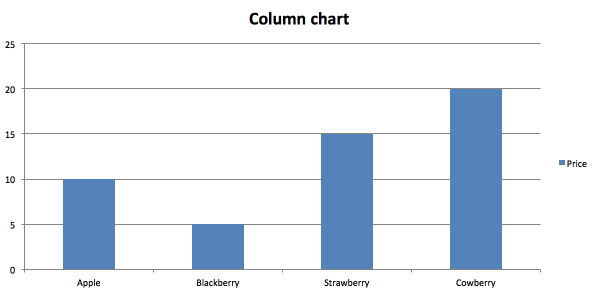

No comments:
Post a Comment